Credit: Nintendo
A big part of the street kid culture that Splatoon 3 champions is making yourself seen all over your home turf. The obvious way to do that is to dress up in the freshest duds ’round the clock, but there is another option you can utilize if you’re more artistically inclined. After all, it’s not street culture without some old-fashioned graffiti. Here’s how to draw in Splatoon 3.
How to Draw in Splatoon 3
As you’ve walked around Splatsville in Splatoon 3, you’ve likely noticed all the little art balloons that pop up over NPCs’ heads and the drawings on the walls of the hub, as well as in stages during Splatfests. These are actual drawings created by your fellow Splatoon 3 players, on display for anyone and everyone to see. If you interact with an NPC or zoom in on art on the wall, you can press Y to give it a “Fresh” rating, which doesn’t have any practical effect beyond letting that user know you liked their art.
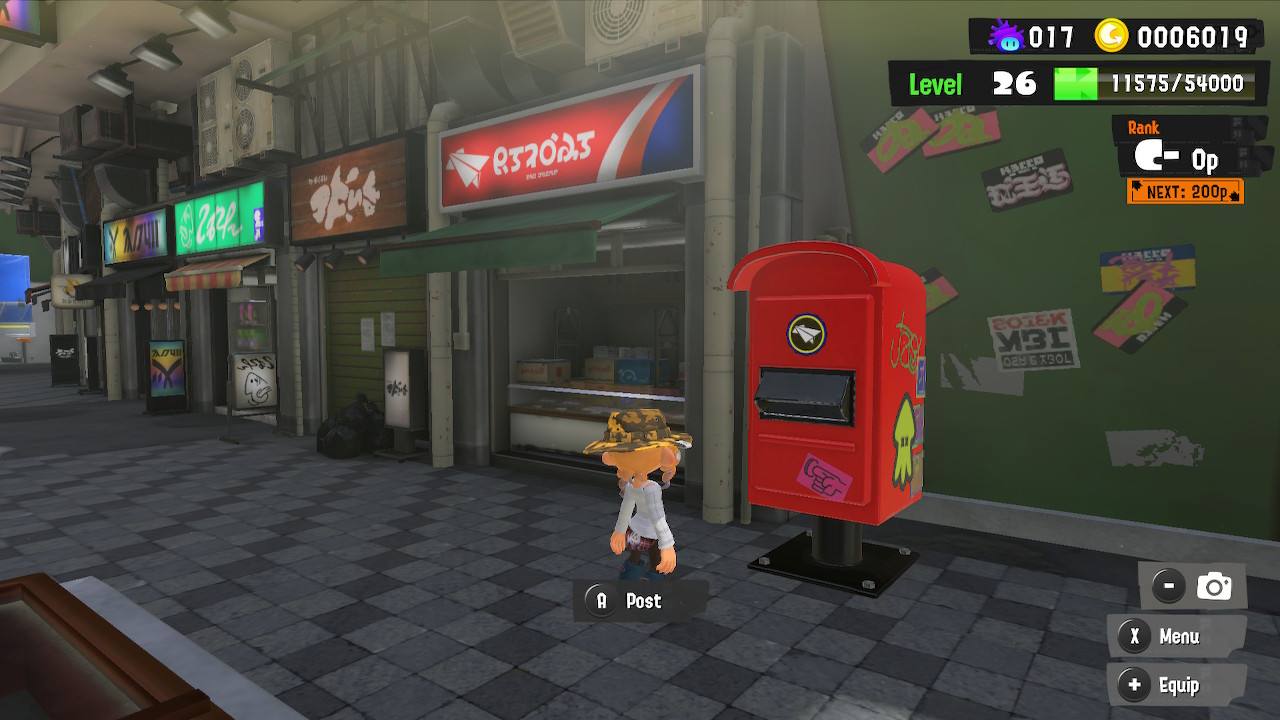
If you’d like to display some art of your own, it’s a fairly simple process. All you need to do is interact with the red mailbox to the left of the Hotlantis entrance in Splatsville, or the one in front of the lobby entrance in Inkopolis if you have the DLC. Either way, by interacting with the mailbox, you can bring up the drawing interface to create your art.
You can draw lines with the control stick and A button, or use your Switch’s touch screen in handheld mode. Use the B button to erase anything you’ve drawn, the L and R buttons to change the size of your brush, wipe the canvas with the left stick button, and undo and redo with the ZL and ZR buttons, respectively. If you want to perform some detailed work, you can zoom in on the canvas with the X button, and move the view with the right stick. Finally, if you want to switch between horizontal and vertical portrait orientation, press the Y button.
Once you’re finished with your art, press the + button. Keep in mind that, in order to display your art over your character or on the walls in the hub, you’ll need to actually post your art to a linked Facebook or Twitter account. You’ll get a prompt to link and log into an account if you haven’t already, after which you can set up a social post. Once the post is, er, posted, it’ll be visible above your character should anyone encounter you. You can delete the post from your linked social at this point if you like, it doesn’t need to stay on there.
Splatoon 3 Post Rules and Etiquette
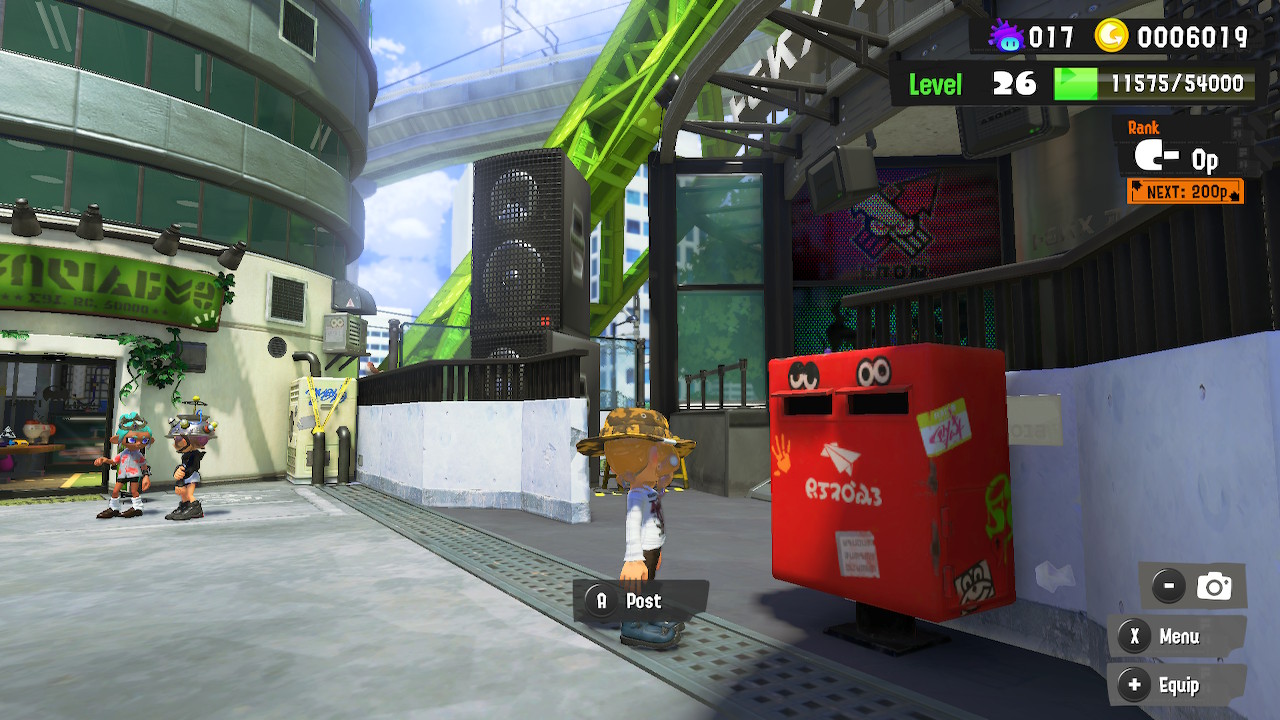
Credit: Nintendo
While you can post both art and written text using this system, there are rules and regulations in place to keep things clean. Remember, this game is rated E10 for everyone ten and up, so Nintendo is on the lookout for posts that violate their guidelines. If you break the rules, your posts will be hidden from public view.
Generally speaking, these are the kinds of things that are okay to post:
- Fanart
- Jokes
- Safe-for-work memes
- Friendly, encouraging text
On the flip side, these are the kinds of things that you should not post:
- Hateful, inflammatory content
- Politics
- Not-safe-for-work art or memes
- Personal, identifying information (phone numbers, email, etc.)
- Commercial or copyrighted content
In the event you see a post in the hub that you believe is violating these policies, you can interact with the NPC displaying it or hover your camera over it on the wall and press the – button to report it. Don’t report stuff for no reason, though, or you’ll get in trouble yourself. If you’re ever concerned about the content of the posts you’re seeing in general, you can turn Post Display off in the game’s options. In this case, only preset images created by Nintendo themselves will be displayed.
Splatoon 3’s art posting system is a great way to engage with the community and, if you’ve got some art chops, get your style out there. Just make sure to be civil about it, unless you want to be crammed in the time-out corner.

-
 Credit: Shutterstock Dubai’s dining scene has never been afraid of bold ideas—but the city’s newest culinary experiment might just...
 -
Credit: Shutterstock Disney Brings Olaf to Life with AI-Powered Snowman Robot Disney has accomplished the unthinkable by transforming one...
-
Credit: Shutterstock Thirty years ago, before most people had ever heard the term “cybersecurity,” a Japanese anime depicted a...
-
Credit: Shutterstock Today, Apple announced the release of Digital ID, a new and safe method for American iPhone and...
-
Credit: Shutterstock Artificial intelligence (AI) is already a part of our everyday lives and is no longer a sci-fi...
-
Credit: Shutterstock In a digital age where even our doorbells are online, today felt like the internet collectively hit...
-
Credit: Shutterstock Spotify is making it even easier (and more fun) to get the perfect playlist going. The streaming...
-
Credit: Shutterstock When Matt and Maria Raine lost their 16-year-old son Adam to suicide this past April, they were...
-
Credit: Shutterstock At its Made by Google 2025 event, Google pulled back the curtain on its latest foldable device,...
-
Credit: Shutterstock Paralyzed Woman Stuns the World Using Elon Musk’s Neuralink Chip In an awe-inspiring moment that blends science...
-
Credit: Shutterstock What’s on your mind today? Chances are, you’re not alone if you’ve turned to ChatGPT for answers....
-
Credit: Unsplash Japan Is Living In the Future Japan just broke the internet speed record by reaching 1.02 petabits...